The phrase “agent OS” now gets attached to everything. A $97 one-time download. A $300,000-per-year enterprise deployment. A Notion template with “AI” in the title. Most agencies reading reviews genuinely can’t tell which category they’re looking at, and the people writing those reviews usually don’t clarify it either.
This AI Agency OS review does something different. As the creator of AI Agency OS, an AI agent platform built specifically for solo founders and micro-agency owners, I have a real stake in this comparison. I’m also going to be straight about where enterprise platforms beat what we built, and where the math simply doesn’t work for a one-to-five person shop. No platform is right for everyone, and pretending otherwise just wastes your time.
By the end, you’ll have a clear picture of what each category of platform actually delivers, what it costs in real time and real money, and which one fits how a small agency actually operates. Start with that, and the decision gets a lot easier.
1. What “agent OS” actually means for a small agency
The term is being stretched past the point of usefulness
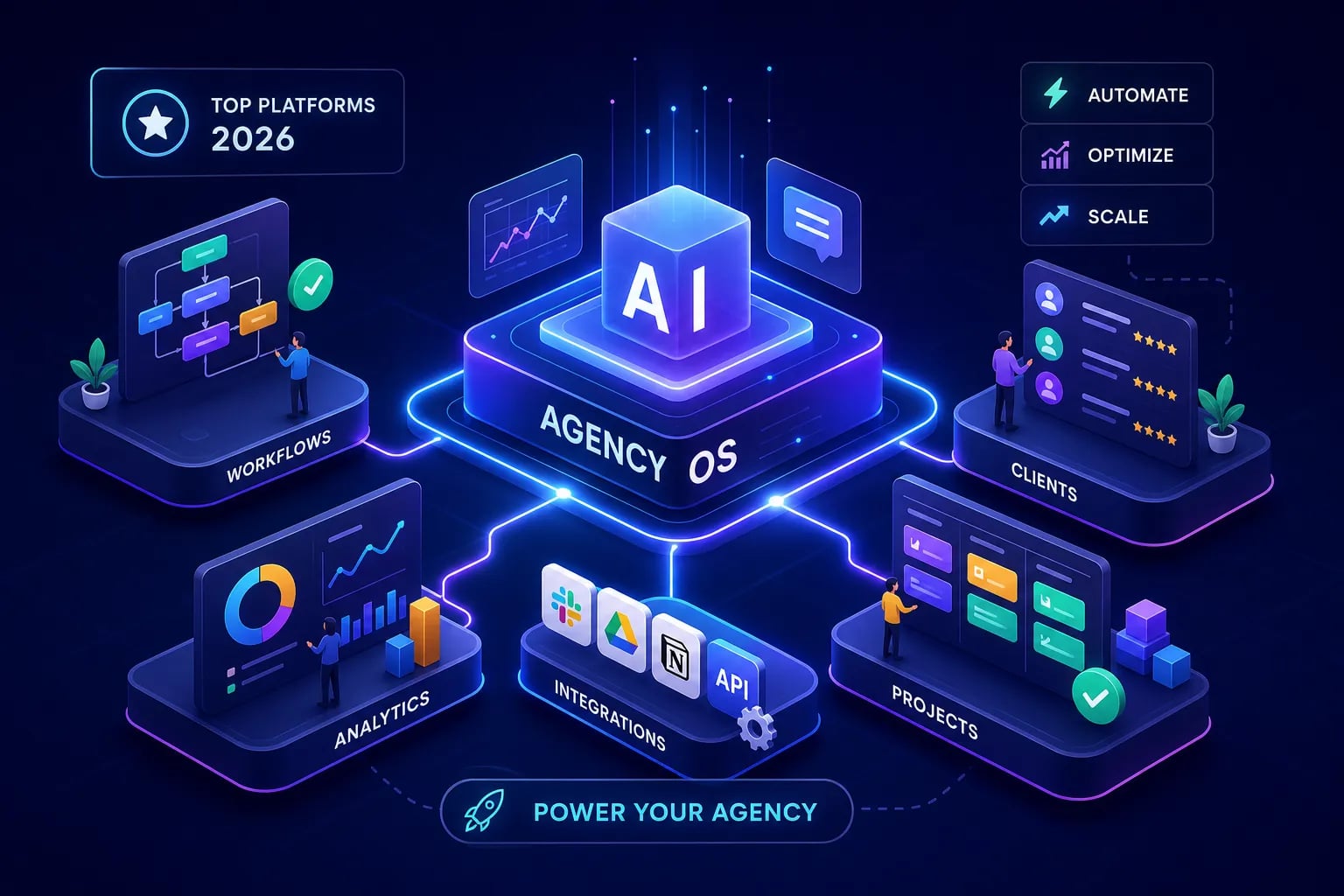
“Agent OS”, or AI agent operating system, is now applied to three fundamentally different categories of product, and they don’t behave the same way, cost the same, or require the same internal capacity to operate. The first category is enterprise orchestration layers: platforms like Salesforce Agentforce, IBM watsonx Orchestrate, and PwC’s agent OS stack. These are built for large organizations with dedicated IT, compliance teams, and $25,000-plus monthly budgets. The second category is no-code automation platforms like Make and Relevance AI, which sit closer to the agency market but still require meaningful setup time. The third category is packaged digital products with “agency” in the name, things like ManyAgents and Synthetic AI, which are one-time download products, not orchestration platforms in any technical sense.
Small agencies searching for an honest agent OS comparison deserve to know which category they’re actually evaluating. When a review lumps all three together as if they’re competing for the same buyer, it’s not useful. It’s noise. That confusion has real consequences: a solo founder who buys an enterprise platform because a review positioned it as the top pick will spend three months on implementation, blow their software budget, and get nothing out of it.
What a real agent OS should do for a working agency
Here’s a working definition: an AI agent operating system coordinates AI agents, automation workflows, and data flows across the repeatable tasks a small agency does every week. That means prospecting, outreach, content, and pipeline reporting. It should remove manual work without creating a new technical job in its place. If running the system requires more hours than the system saves, it has failed regardless of what the marketing page says.
Use that as the benchmark for everything that follows. Does this platform reduce manual hours in the specific workflows a small agency runs repeatedly? Does it require a dedicated ops person to maintain, or can a solo founder handle it while also delivering client work? The answers sort the market quickly.
2. AI Agency OS review: what the platform actually includes
The five agents and what each one does
AI Agency OS includes five specialized AI agents, each built around a specific job a small agency does every week. The cold outbound engine handles ICP analysis and signal-based personalization; it identifies your ideal customer profile, surfaces leads that match it, and builds sequences with personalization that reflects actual buying signals rather than generic merge fields. The Content-to-CFO agent connects content performance to actual revenue, replacing the manual process of pulling analytics data and trying to build attribution arguments for clients. The Invisible Pipeline agent surfaces hidden buyers and dead deals already sitting inside existing funnels: the contacts and companies that showed interest months ago and were never properly followed up.
The fourth agent handles content repurposing, converting long-form content into usable formats across channels without starting from scratch each time. The fifth is an SEO opportunity finder that identifies gaps and ranking opportunities without requiring manual keyword research sessions. Each agent replaces a specific manual task rather than adding a new one, which is the only useful way to measure whether an AI tool earns its place in a small agency’s workflow.
The 25 workflows and 10 prompt packs
The 25 pre-built automation workflows cover the operational backbone of a small agency’s sales and marketing function. Email lead finding and verification, LinkedIn lead generation, AI appointment chatbots, voice agents, and unified lead management are all included. These aren’t starting templates that require weeks of configuration. They’re deployable in 30 minutes, built around the actual jobs a solo founder or micro-agency needs to accomplish each week.
The 10 prompt packs cover targeted outreach, content creation, and sales conversations. They give the system language it can use across the workflows without requiring the agency owner to write and test prompts from scratch. The entire library carries a white-label structure, meaning agency owners can rebrand and resell the system under their own name. That’s a practical path to a new revenue stream without building AI infrastructure from the ground up.
3. Who this system is genuinely built for
The three profiles that get immediate value
The first profile is the solo freelancer who handles marketing, sales, and client delivery at the same time. This person doesn’t have an ops team. They’re spending Sunday nights writing cold email sequences and Tuesday afternoons manually updating a CRM instead of doing billable work. They need a turnkey system that handles prospecting and follow-up automatically, not a platform that requires three weeks of configuration before it does anything useful.
The second profile is the micro-agency owner with one to five people who wants to either use AI internally to increase output or productize it for clients. They’re looking for tools they can deploy across client accounts without rebuilding workflows from scratch for each engagement, and they want something they can resell as a service rather than just use as an internal tool.
The third profile is the digital marketing consultant who wants to offer AI-powered lead generation and content attribution as a premium service without building infrastructure from scratch. They have the expertise and the client relationships. What they need is a credible, structured system they can put under their own brand.
Who should keep looking
AI Agency OS is not the right fit for agencies with a dedicated ops team that wants full custom control over every workflow node. It’s also not built for enterprise clients that require SSO, SOC 2 Type II, HIPAA compliance, ITAR certification, or dedicated uptime SLAs. If those requirements exist, platforms like Infobip AgentOS, ibl.ai, or Reenvision AgentOS are built specifically for that compliance environment and should be on the evaluation list instead.
Honest exclusion is more useful than claiming to serve everyone. Knowing who a product isn’t for is as important as knowing who it is for.
4. What running AI Agency OS looks like week to week
A realistic Monday-to-Friday workflow
On Monday morning, the outbound engine has already identified new leads that match the ICP, built sequences with signal-based personalization, and queued them for review before sending. That’s a task that would otherwise take two to three hours of manual research, writing, and tool-hopping across a cold email platform, a LinkedIn scraper, and an enrichment tool. Mid-week, the Content-to-CFO agent pulls attribution data and ties content performance to revenue without requiring the agency owner to manually cross-reference Google Analytics, a CRM, and a spreadsheet to build an argument for a client retention call.
By Thursday, the Invisible Pipeline agent has surfaced re-engagement opportunities from leads that went quiet 60 or 90 days ago and showed buying signals that never triggered a follow-up. These contacts would otherwise sit dormant until a competitor got to them first. The system doesn’t invent new work. It handles work that already existed but wasn’t getting done because there weren’t enough hours to do it manually. Agency owners using AI agents for agencies report saving significant manual hours each week, with repetitive tasks like blog production often dropping from several hours to under 90 minutes once automation is running consistently. These numbers are directional and vary by workflow, but they reflect tasks that are genuinely well-suited to automation.
Where the time savings actually come from
The 20-plus hours per week figure the system targets isn’t a round number chosen for marketing purposes. It’s the cumulative weight of specific tasks that repeat every single week without producing leverage. Writing cold email sequences from scratch. Manually verifying email lists before sending. Building content performance reports that clients forget about by the following Monday. Searching a CRM for stale leads that should have been followed up three weeks ago.
None of these tasks require human judgment. They require time, attention, and consistency, which is exactly what automation is built for. When those hours are recovered, they can go toward client delivery, new business development, or just not working on Sunday nights. The solo founders who get the most out of this system aren’t the ones who love automation for its own sake. They’re the ones who are tired of doing the same repetitive tasks every week and want those hours back.
5. The real cost of stitching Make, Zapier, and standalone AI apps together
What the DIY stack actually requires
A comparable DIY stack for a small agency looks something like this: a Make or Zapier account for automation logic, a separate AI app for outbound personalization, another for content repurposing, a third for lead enrichment, and then the manual work of connecting all of them into something that functions as a system. The monthly cost for this setup lands between $250 and $500 for a genuinely usable configuration, and can reach $800 or more when enrichment credits and outbound volume increase. Each tool has its own pricing tier, its own learning curve, and its own failure points. When one API changes, a workflow breaks silently. Nobody notices until a client call goes cold and you spend a Friday afternoon debugging a Zap that stopped firing three weeks ago.
The setup time compounds the cost further. A useful multi-step workflow in Make takes two to four hours to build, test, and debug. A small stack of several core automations commonly requires 15 to 25 hours initially, and that’s before accounting for the ongoing learning curve when tools change their interfaces or pricing mid-year.
The integration maintenance problem most founders ignore
The hidden cost of the DIY stack doesn’t show up in tool comparison tables. It shows up in the hours spent updating broken workflows, learning new interfaces after a platform redesign, managing five or six separate subscriptions across multiple billing cycles, and losing institutional knowledge when you finally figure out why a workflow stopped firing and then forget how you fixed it six months later. This is the integration maintenance problem, and it’s the most consistently underestimated cost in small agency software budgets.
ROI calculations for automation stacks almost always capture the visible costs: subscription fees, implementation time, the obvious before-and-after hours on a specific task. What they miss is the ongoing overhead of keeping a stitched-together system running. A pre-integrated system earns its keep precisely here. When the workflows are built and maintained as a single coordinated system rather than a collection of independent tools, the maintenance burden drops substantially. The whole point of a pre-built system is that someone else already solved the integration problem before you bought it.
6. AI Agency OS review: how it compares to enterprise-grade platforms
What enterprise platforms actually offer
Enterprise platforms like Salesforce Agentforce, Microsoft Copilot Studio, Relevance AI, Make at scale, and Beam bring real advantages that shouldn’t be dismissed. Governed multi-tenant architecture, broad connector libraries (Make supports 3,000-plus apps), compliance controls including SOC 2 and HIPAA, audit logs, dedicated support, and CRM-native reasoning are all genuine capabilities that larger organizations need. Salesforce Agentforce gives agencies that run client implementations inside Salesforce a purpose-built reasoning engine with real-time CRM context and prebuilt revenue and service use cases. Microsoft Copilot Studio gives Microsoft-centric agencies deep integration with Teams, SharePoint, Dynamics, and Entra identity controls. These are not trivial features for agencies operating in those environments.
Relevance AI is a capable no-code competitor in the small-to-mid-agency market. It offers fast, template-driven agent deployment without requiring engineering resources, and it has built a real user base among agency owners who want to move quickly on specific use cases like customer research, data enrichment, and content generation.
Where the tradeoff breaks down for solo founders
The problem for a one-to-five person shop isn’t that enterprise platforms lack features. It’s that enterprise pricing starts at $25,000 per month for a production deployment, implementation adds $2,000 to $10,000 in setup costs, and the learning curve assumes someone on the team whose primary job is managing the platform. A solo founder running their own sales, delivery, and marketing simultaneously doesn’t have that person. They are that person, and they’re also supposed to be doing client work.
AI Agency OS trades configurability for immediacy. Fewer options, faster results. That’s a deliberate architectural choice, not a gap in the product. A system with 3,000 integrations that takes three months to configure provides zero value in month one. A system with 25 focused workflows that covers prospecting, outreach, content, and pipeline starts generating leverage on day one. For the right buyer, that tradeoff is obvious. For an agency that genuinely needs deep CRM-native reasoning inside Salesforce or multi-tenant compliance controls, a different platform is the right answer, and this article has named several.
The Relevance AI comparison
Relevance AI is the closest no-code competitor for small agencies, and it holds that position for good reason. Its template library and multi-step workflow builder are useful for agency owners who want to move quickly without engineering support. The gap that remains is meaningful, though: Relevance AI requires building workflows from scratch, even starting from a template. AI Agency OS delivers a pre-configured system built around the specific business outcomes a small agency needs, not a blank canvas with example workflows attached. If you want to build your own, Relevance AI is a reasonable choice. If you want something that runs on Monday morning without a week of configuration, the comparison tips differently.
7. Pricing reality across the market
What you’re actually comparing when you compare prices
The pricing spectrum in this market is wider than most comparisons acknowledge. ManyAgents and Synthetic AI sell one-time “agency license” products for $67 to $97. These are digital downloads, not orchestration platforms. They don’t come with uptime SLAs, compliance controls, ongoing updates, dedicated support, or governance infrastructure. Calling them an “agent OS” and comparing them to enterprise platforms in the same review is like comparing a PDF template to a SaaS product because both involve documents. At the other end, enterprise platforms run $25,000 to $100,000-plus per month, with first-year costs including implementation commonly reaching $50,000 to $300,000.
The middle ground is where most small agencies actually belong, and it’s where honest value calculations need to happen. Pre-built, focused systems designed for small agency workflows- what you’d call an agency AI platform purpose-built for this market- sit in a pricing tier that reflects real deployment capability without the enterprise overhead. The question isn’t which platform has the lowest price. It’s which platform delivers the best outcome for the time and money invested in deploying and maintaining it.
What “ready to deploy” is worth in dollar terms
A solo founder who recovers 20 hours per week from automation is effectively adding half a full-time employee’s output without the payroll, benefits, or management overhead. That’s not a marketing claim; it’s arithmetic. If those 20 hours were previously spent on cold email research, lead verification, and manual reporting, and are now spent on billable client work or new business development, the financial impact is direct and measurable.
One agency deployment illustrates how specific the returns can be: automated lead handling reduced response time from 4.5 hours to 47 seconds, increased lead-to-appointment conversion from 8% to 22%, and generated an estimated $816,000 in incremental annual commission value plus $67,340 in labor savings. That’s one workflow. A complete system covering outbound, content attribution, and pipeline recovery across a small agency’s entire operation compounds those returns. The payback period on a well-deployed, focused system is measured in weeks, not quarters, when the use cases are this specific. Results will vary based on agency size, industry, and workflow complexity.
8. Honest limitations to know before you buy anything
Where agent OS platforms fall short across the board
Agents are non-deterministic. The same input can produce different outputs, and complex multi-step workflows can fail silently on messy or inconsistent data. Incomplete CRM records, vague briefs, and siloed files will produce confident-looking but unusable outputs regardless of which platform you’re using. This isn’t a limitation of any specific product. It’s a characteristic of how large language models work, and any review that doesn’t mention it is leaving out something important.
Evaluation is also genuinely difficult because conventional pass/fail testing doesn’t capture multi-step agent behavior. An agent can complete each step correctly and still produce a wrong result if the steps interact in unexpected ways. Production deployments require monitoring, exception handling, and human review on high-stakes outputs. Treat any agent output that touches client-facing communication, financial reporting, or legal content as a draft until a human has reviewed it. That review step is part of the system, not evidence that the system isn’t working.
Specific limitations of AI Agency OS
AI Agency OS doesn’t offer the enterprise compliance stack. SOC 2 Type II, HIPAA, ITAR, and similar certifications are not part of the current product. Agencies serving regulated clients in healthcare, finance, or government contracting need a platform built specifically for that compliance environment, and this article has named several that qualify. The system also isn’t built for agencies with complex multi-tenant permissioning needs, where different client environments require strict data isolation at the infrastructure level.
Customization has limits because the pre-built nature of the system is also its primary advantage. A solo founder who needs deep CRM-native reasoning inside Salesforce, custom agent logic connected to a proprietary data warehouse, or workflows built around a highly specific client tech stack may hit the edges of what a pre-configured system can accommodate. If a workflow requires that level of specificity, a more configurable platform is the right answer. Naming your own limitations is the only way to earn a reader’s trust in a comparison article, so there it is.
9. A practical framework for choosing the right platform
Three questions that clarify the decision fast
The first question: do you have a dedicated ops person to build and maintain workflows, or is that you? If you are the ops person, a platform that requires weeks of configuration and ongoing technical maintenance will consume exactly the hours it was supposed to save. Pre-built, low-maintenance systems are the right category for any solo founder or small team where everyone is also doing client work.
The second question: does your agency serve clients in a regulated industry that requires documented compliance controls? If yes, the platform decision is essentially made for you. Infobip AgentOS, ibl.ai, and Reenvision AgentOS all document their compliance posture explicitly and should be the starting point for evaluation.
The third question: do you need something running this week, or can you afford a three-month implementation? These three questions sort agencies into clear categories without requiring a vendor demo or a lengthy RFP process. Answer them honestly, and the platform list narrows immediately.
What solo founders should optimize for
For a one-to-five person agency, the primary criterion isn’t feature depth. It’s time-to-value. A platform with 3,000 integrations that takes three months to configure and requires a dedicated ops person to maintain is not a competitive advantage for a solo founder. It’s a liability. The value of a pre-built, focused system is that it starts working before you’ve had to become an expert in it.
The workflows that matter most for a small agency are also the most predictable: outbound prospecting, cold email sequencing, content distribution, lead qualification, pipeline follow-up, and attribution reporting. These tasks repeat every week with minimal variation. A system purpose-built around those specific jobs will outperform a more powerful but more general platform in almost every real-world small agency scenario. Simplicity in the right context isn’t a compromise. It’s the correct architecture for the problem being solved.
10. What to do before you commit to any platform
A pre-purchase checklist for agency owners
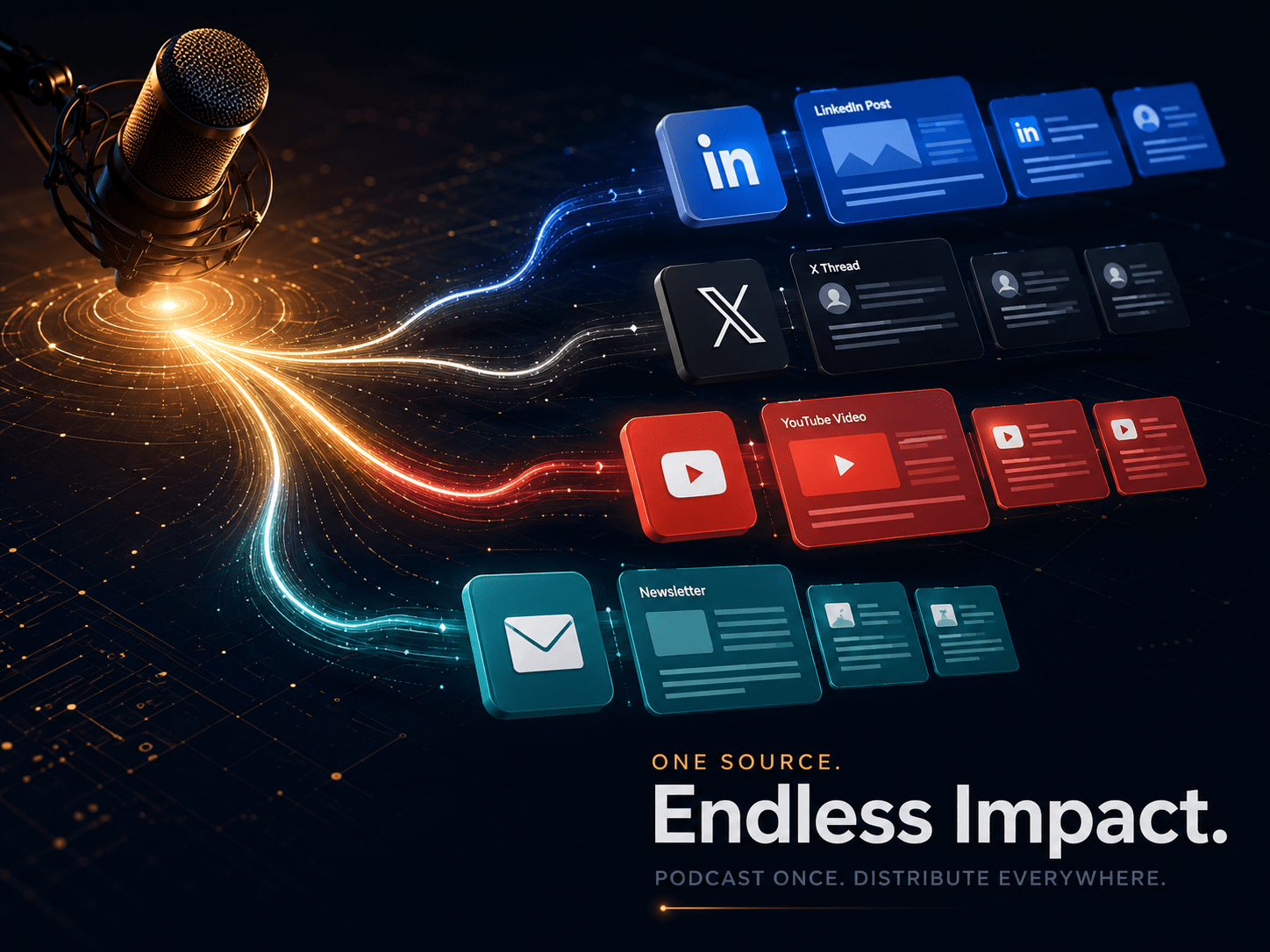
Before signing up for anything, take 30 minutes and map out the five to ten tasks that consume the most manual hours per week. Be specific about the actual activity, not the category. Not “outreach” but “finding leads, verifying emails, writing sequences, and sending them.” Not “content” but “repurposing podcast episodes into LinkedIn posts and email newsletters by hand every Tuesday.” That specificity tells you what a platform actually needs to cover to generate real savings.
Then verify whether a candidate platform covers at least three of those tasks without requiring custom configuration from scratch. Check whether the pricing model includes the number of clients or workflows you need at launch, not just at the starter tier. And confirm whether you can redeploy or exit the system without losing your workflow logic to vendor lock-in. Proprietary orchestration layers that trap workflow definitions inside a single platform create exit costs that aren’t visible during the buying decision but become very visible when you want to switch eighteen months later. Those four checks, applied honestly, eliminate most bad platform decisions before they cost real time or money.
AI Agency OS review: the honest next step for solo founders
Most solo founders and micro-agency owners don’t need a platform built for a 200-person enterprise with a dedicated IT department and a compliance team. They need a focused, pre-built system, an AI agent platform for agencies, that handles the specific, repeatable tasks draining their week and runs on Monday morning without a week of setup. AI Agency OS was built around exactly that premise: five agents, 25 workflows, and 10 prompt packs covering the jobs a small agency actually needs to automate, deployable in 30 minutes, with a white-label structure that turns the system itself into a potential new service offering.
If the use cases covered in this article match how your agency operates, the system is worth a serious look. If your requirements are more complex, the comparison work in this article has given you enough to build a shortlist and evaluate the right platforms for your context. Either way, the decision starts with your own hours, not someone else’s feature checklist. If you want to explore AI Agency OS for your business, reach out directly and we can walk through whether the fit is right.
The straight point
The agent OS market is genuinely crowded, and the naming is deliberately confusing. A $97 one-time download and a $300,000 enterprise deployment both get called an “agent OS” in the same week’s worth of Google results. For most agencies reading this, neither extreme is right. The right platform reduces the most manual work, requires the least ongoing maintenance, and fits the way a small team actually operates, not the way a large enterprise with dedicated resources operates.
In this AI Agency OS review, the clearest winner for solo founders and micro-agency owners is a system designed for that exact gap. AI Agency OS won’t be right for everyone, and this article has been specific about who it isn’t right for. Agencies with compliance requirements, complex multi-tenant environments, or the in-house capacity to build and maintain a fully custom stack have better options, and this article has named them. But if you’re a solo founder or micro-agency owner who has spent meaningful time connecting tools that keep breaking, managing five separate subscriptions, and rebuilding workflows from scratch every time an API changes, the case for a pre-integrated, ready-to-deploy system isn’t a marketing argument. It’s just logic.
Start with the three questions in section nine. Map your own hours, then compare that to what a focused system would actually cover. The numbers will tell you more than any review can.